
How to Add Domains
Validated on 31 May 2023 · Last edited on 10 Oct 2023
Adding a domain you own to your DigitalOcean account lets you manage the domain’s DNS records with the control panel and API. Domains you manage on DigitalOcean also integrate with DigitalOcean Load Balancers and Spaces to streamline automatic SSL certificate management.
Adding a domain to your project allows you to assign the domain to Droplets, load balancers, and other resources. You can only add domains with known top-level domains (TLDs) publicly recognized by ICANN.
Add a Domain Using Automation
To add a domain via the command-line, follow these steps:
- Install doctl, the DigitalOcean command-line tool.
- Create a personal access token, and save it for use with doctl.
- Use the token to grant doctl access to your DigitalOcean account.
doctl auth init - Finally, add a domain with doctl compute domain create. The basic usage looks like this, but you’ll want to read the usage docs for more details:
doctl compute domain create <domain> [flags]
Add a Domain Using the Control Panel
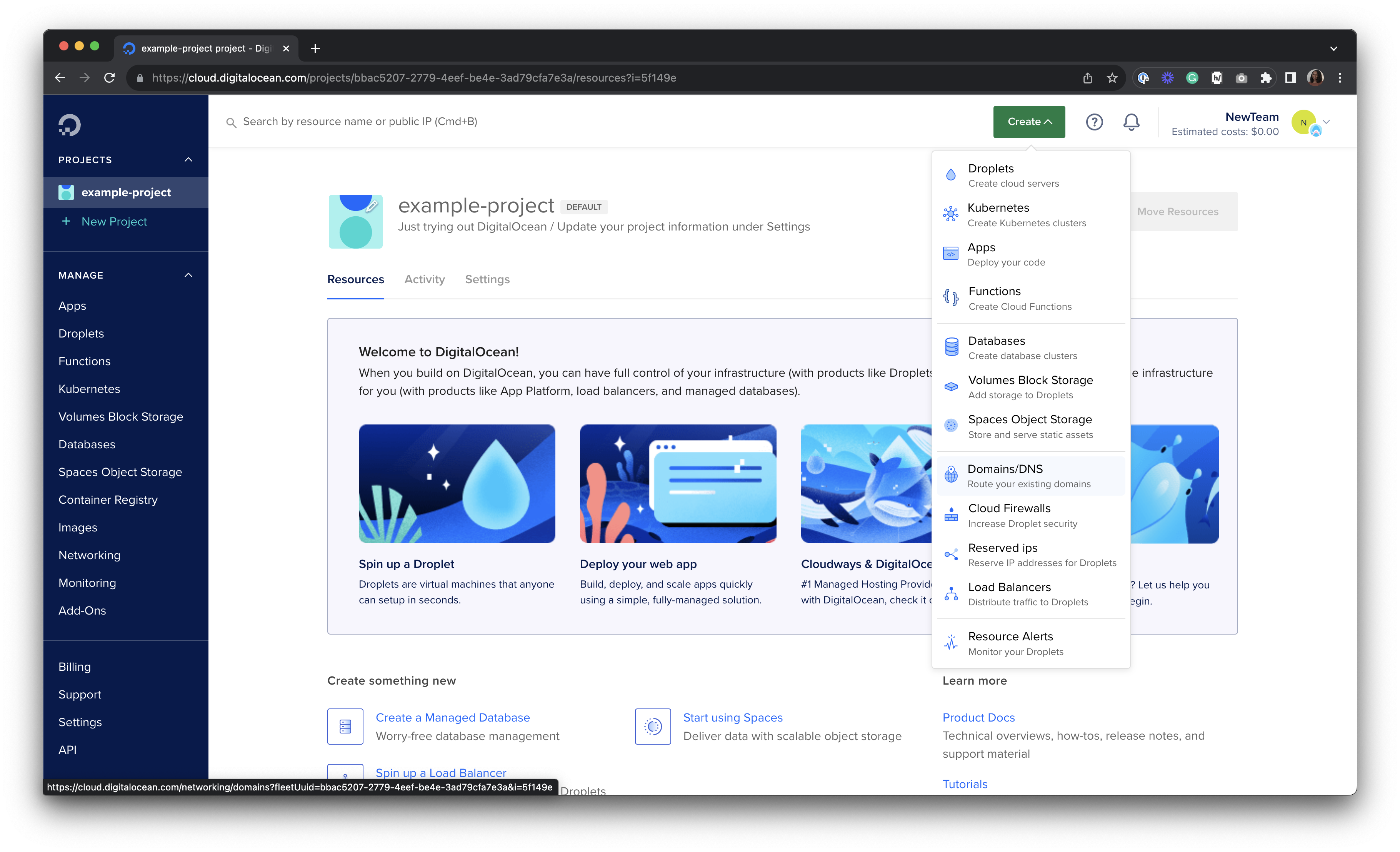
To add a domain from the control panel, open the control panel, open the Create menu and click Domains/DNS.
This brings you to the Networking section’s Domains tab. Enter your domain into the Enter domain field, then click Add Domain. If your domain contains non-ASCII characters (such as accents or other Unicode characters), you must convert it to Punycode before adding it.
The system performs a DNS lookup to see if the domain has already been added to DigitalOcean. If it has, you’ll receive a message that says Data domain example.com : Name already exists. If the domain has not been previously added to DigitalOcean’s DNS service, it will be added. Domains you’ve added are listed on the Domains page.
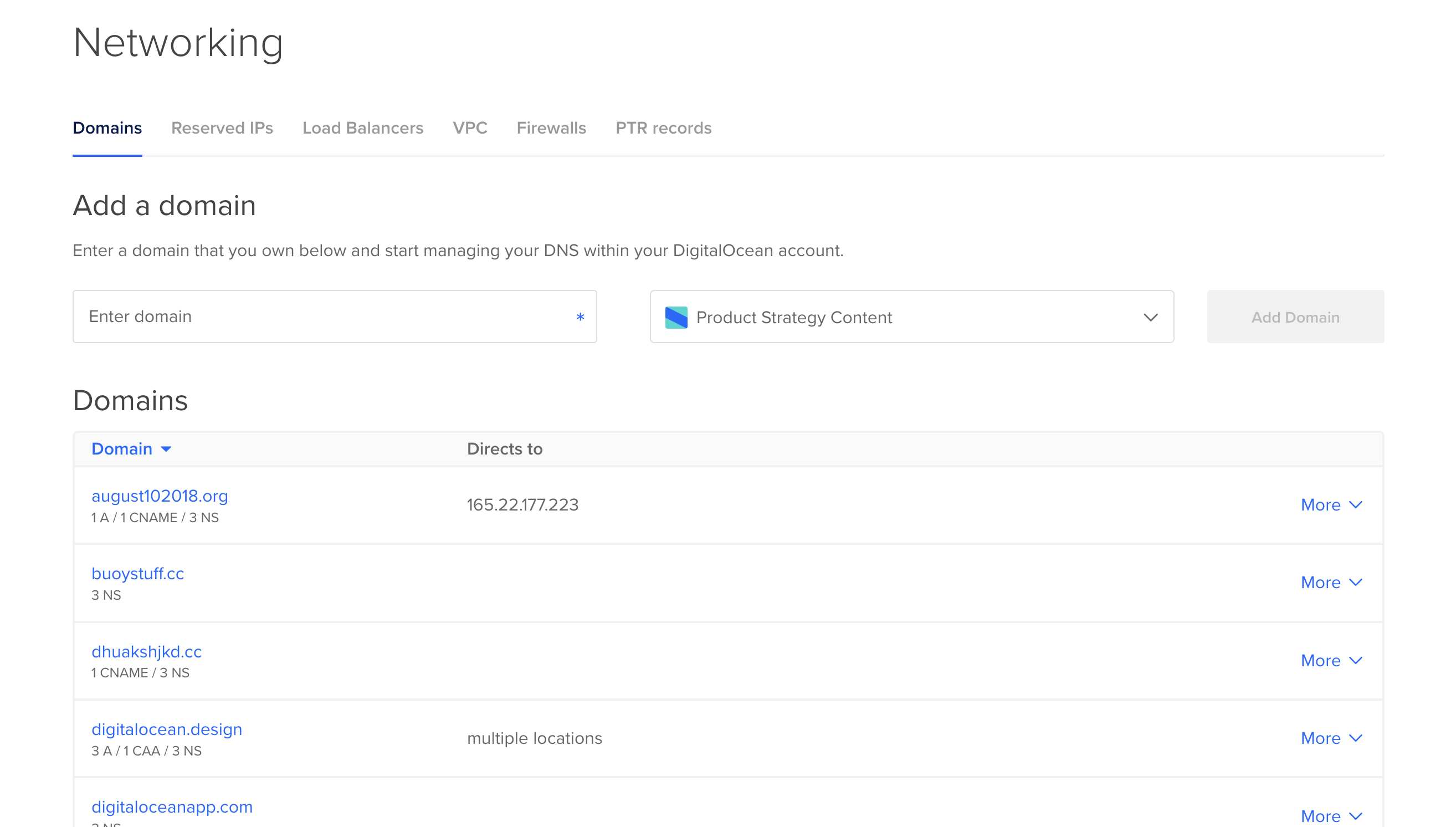
Once you’ve added a domain, click its name to view and modify its DNS records.
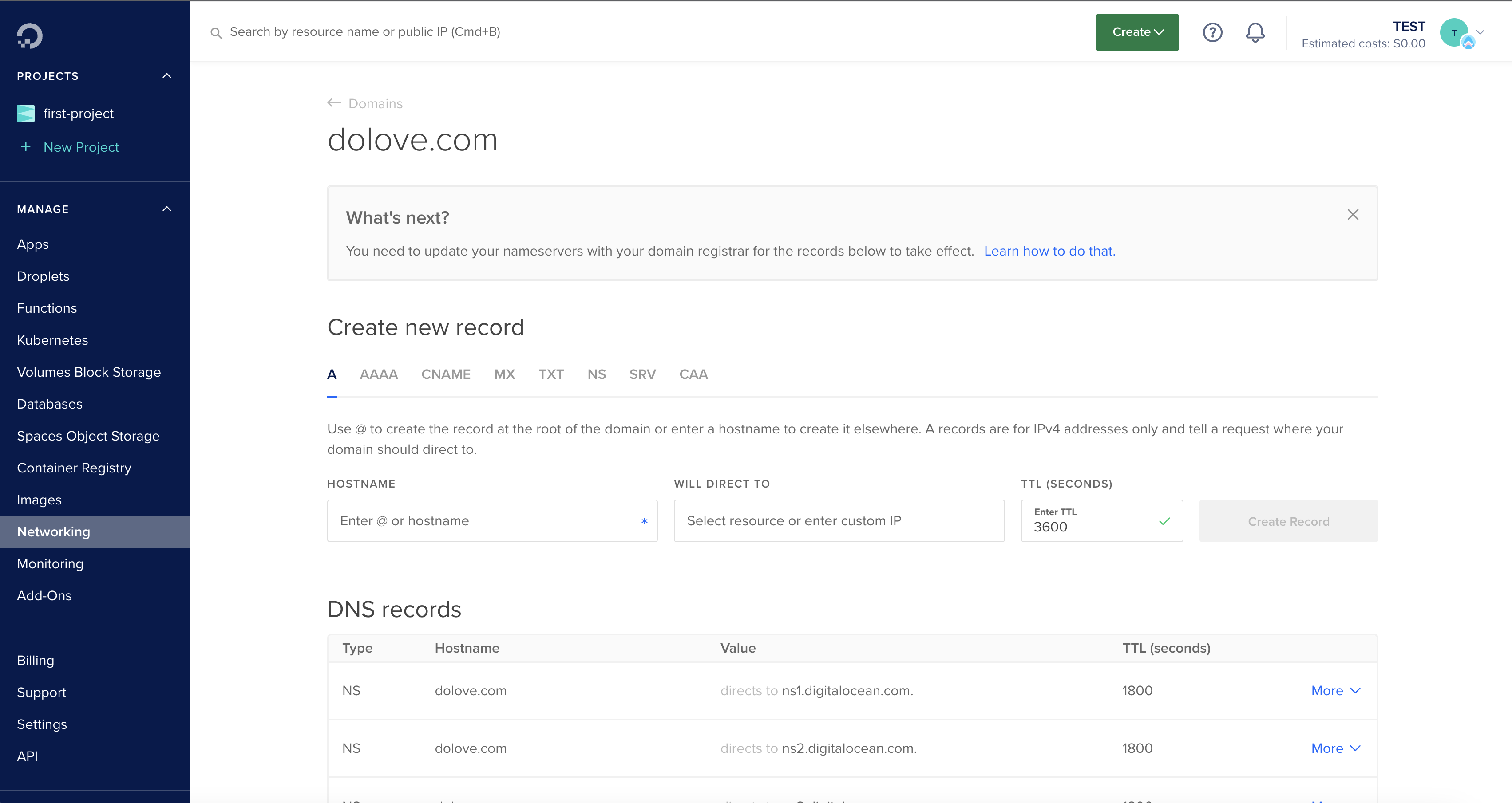
You can add records in the Create a new record section. The DNS records section lists any existing records for the domain, and you can modify or delete records from the record’s More menu.